> ## Documentation Index
> Fetch the complete documentation index at: https://docs.ominiapi.com/llms.txt
> Use this file to discover all available pages before exploring further.

# 配置

### 一、操作步骤

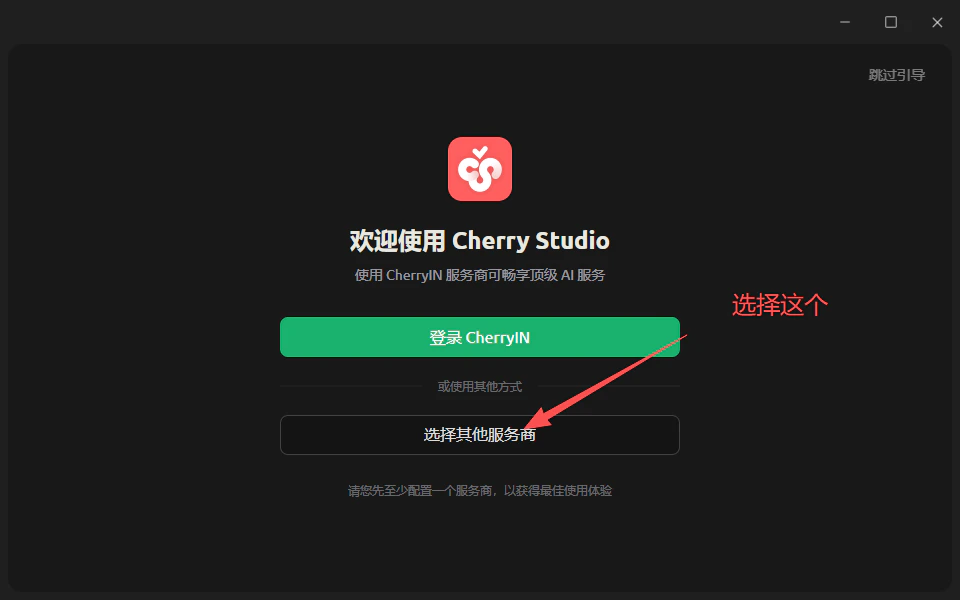
1、选择服务商

<Frame>
  <img src="https://mintcdn.com/byd-ec9e7cdc/0d1qyXJcWgpu-hNj/images/9989b65e97da08529bd73d1f60683eb2.png?fit=max&auto=format&n=0d1qyXJcWgpu-hNj&q=85&s=1c2f6fb1943ac5af4a2f8248ba3a4a53" alt="9989b65e97da08529bd73d1f60683eb2" width="960" height="600" data-path="images/9989b65e97da08529bd73d1f60683eb2.png" />
</Frame>

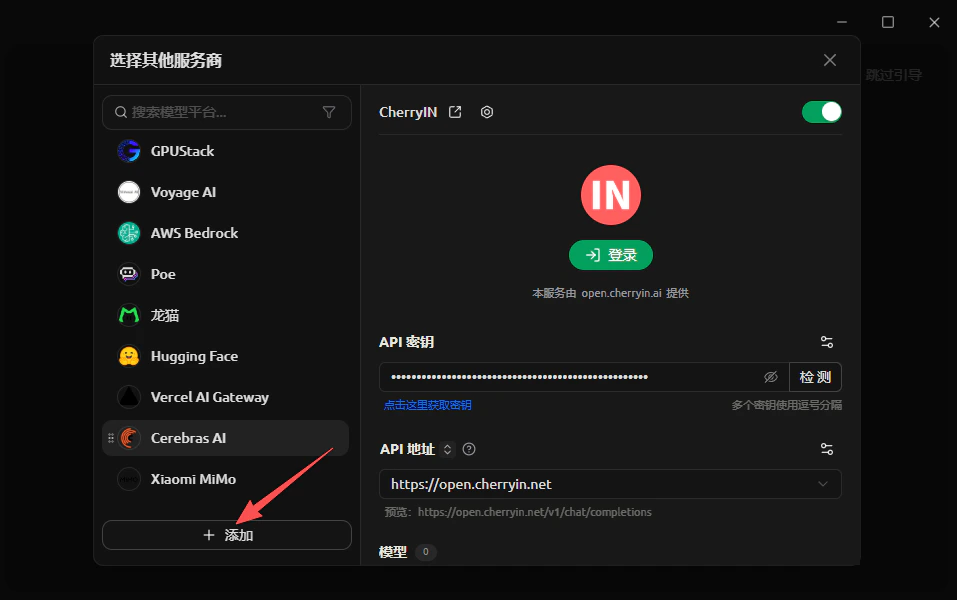
2、添加服务商

<Frame>
  <img src="https://mintcdn.com/byd-ec9e7cdc/0d1qyXJcWgpu-hNj/images/fed1c0d2aba69426763a18d9b1943d6e.png?fit=max&auto=format&n=0d1qyXJcWgpu-hNj&q=85&s=90079d0b87ebb85ebc24573bfd9920c5" alt="Fed1c0d2aba69426763a18d9b1943d6e" width="957" height="600" data-path="images/fed1c0d2aba69426763a18d9b1943d6e.png" />
</Frame>

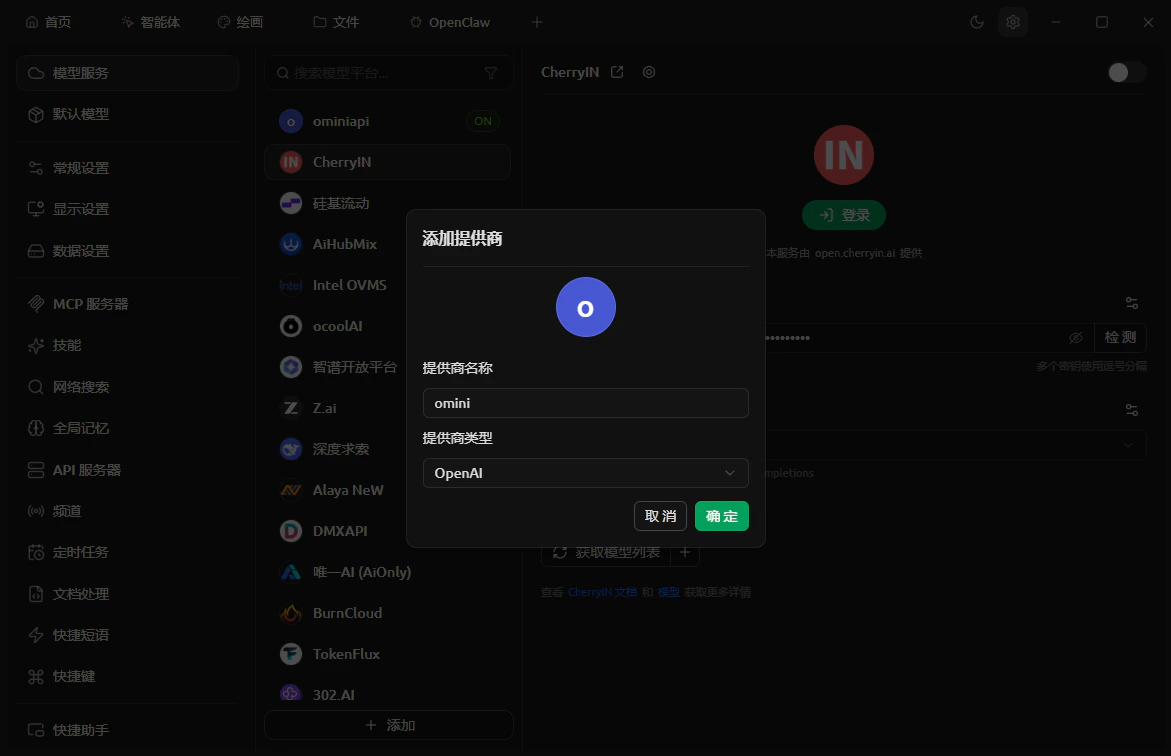
3、选择服务商端点和服务商命名

<Frame>
  <img src="https://mintcdn.com/byd-ec9e7cdc/0d1qyXJcWgpu-hNj/images/image-3.png?fit=max&auto=format&n=0d1qyXJcWgpu-hNj&q=85&s=fcadf873039f85c0bda3182189be92aa" alt="Image" width="1171" height="756" data-path="images/image-3.png" />
</Frame>

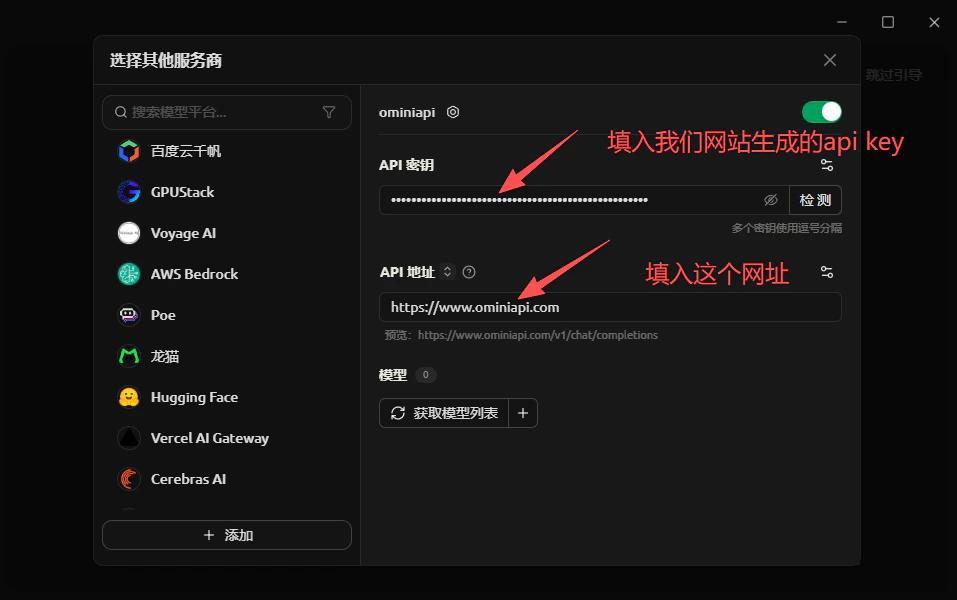
4、填入API地址和API密钥

API 密钥通过[Ominiapi的控制台获取](https://docs.ominiapi.com/base-getApiKey-page)
<Frame>
  <img src="https://mintcdn.com/byd-ec9e7cdc/0d1qyXJcWgpu-hNj/images/4aa6e35f02b65e0928d32bc2a4eef7bf.png?fit=max&auto=format&n=0d1qyXJcWgpu-hNj&q=85&s=9546c7d105104c3f943ad12a0bcb3af1" alt="4aa6e35f02b65e0928d32bc2a4eef7bf" width="957" height="600" data-path="images/4aa6e35f02b65e0928d32bc2a4eef7bf.png" />
</Frame>

5、选择使用的模型

点击获取模型列表，选择你想要使用的模型名称

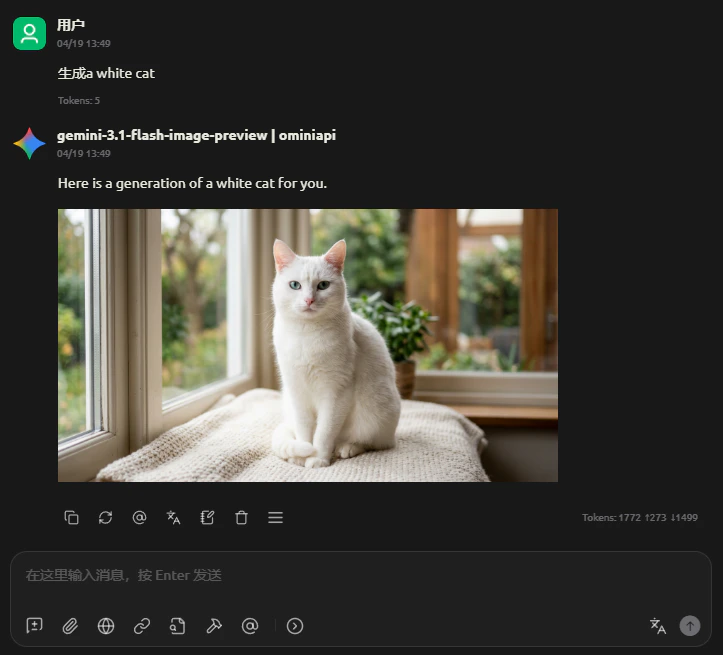
6、开始使用

点击跳过引导，进入首页开始对话

<Frame>
  <img src="https://mintcdn.com/byd-ec9e7cdc/0d1qyXJcWgpu-hNj/images/cde6312f1ea5b48506964f1cd0ba715e.png?fit=max&auto=format&n=0d1qyXJcWgpu-hNj&q=85&s=990c74015ed44e0ac58bda74b61a9e58" alt="Cde6312f1ea5b48506964f1cd0ba715e" width="723" height="655" data-path="images/cde6312f1ea5b48506964f1cd0ba715e.png" />
</Frame>